New version 10.5
New release, new framework upgrade, new features, bug fixes and visible or invisible enhancements. Here a list of the most notable ones.
Active or focused races
One of the most visual, what we can call the race control panel is now not only displayed on pop over mode but also can remain pinned on top of the grids.
Wiclax is built to manage many races ongoing in parallel, reason why we're not flooding the screen with an overwhelming amount of figures and clocks. But to overcome this there are now 3 situations when you can get the fixed panel:
- when there's a single race in the file, declared or not
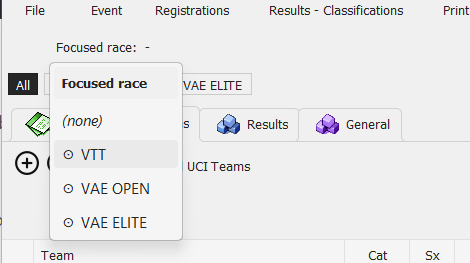
- when you choose to appoint a focused race, i.e. you ask it to come in the fore front so things like live screens or the API can provide data related to this race in particular. Here we'll say focused race because nothing prevents the other races to happen meanwhile, result acquisitions are allowed for all races.
- in some specific sports where we'll talk about the active race instead. Here the expectation is that there can be only one race ongoing at the same time. Detections concerning participants of another race can be considered as an anomaly.
In pictures

Race clock and count down when it's a fixed duration race, number of laps completed. Clicking on the main clock allows to enter/edit the race start time.
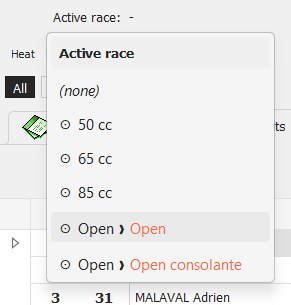
Selecting the active/focused race, and you can come back to none:
For the circuit mode, the race flags have been moved in the same area:

Heats
A lot of work has been made around the management of heats - i.e. when each stage/round can be composed of many heats, each one with its set of participants and its own start time.
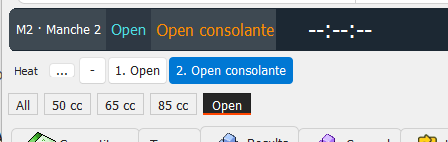
Heats can be declared (if you're not in tournament mode where they're set by the brackets). If necessary race by race, and you can give them some custom labels if you wish. This is done from the main screen directly, here:
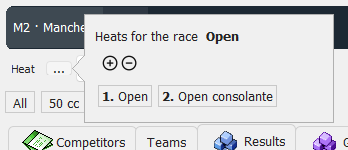
The main grids can now be filtered more immediately on a heat, in complement of the race filter:
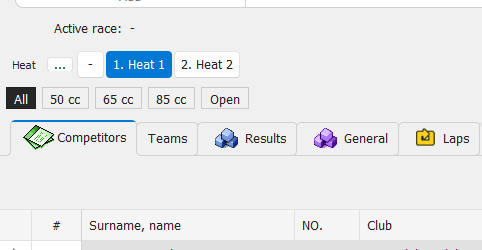
For a better access and consistency, selecting the active heat now is done the same way than for the active race. And in case you also have races defined then you can select the race and the heat in one click.
Race monitoring
Active for motorsport events, this new status panel gives some instant view on every competitor in race. Color codes and drawing to highlight who is finisher, who is in the same lap than the leader, etc...

Network data access
You probably know how to give some remote access to participant data editing through the local network - or through the web if your license is ready for it.
Now this feature has been refactored to accommodate a wider range of possibilities, and offer some control on what is granted to different kinds of people.
As a result:
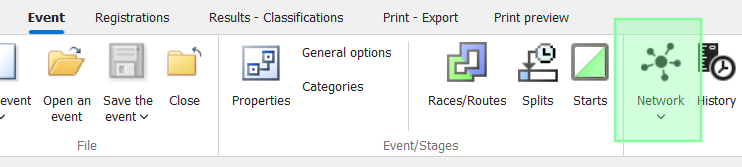
- the menu for the feature is moved to the main ribbon tab, as it's no longer about participants only
- here you can create and enable different accesses, each one with its own code and its own list of allowed actions:
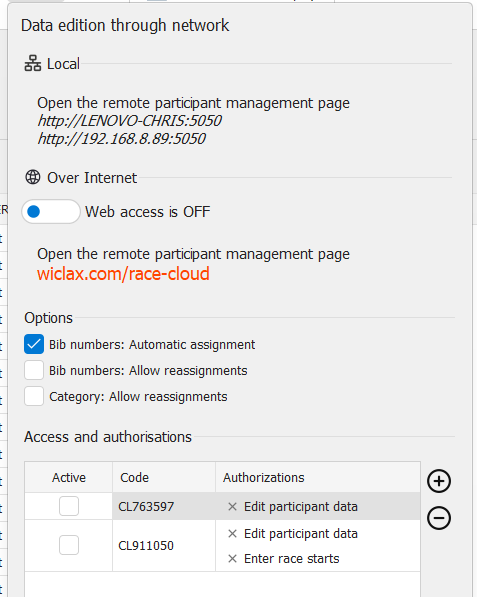
And some useful areas already in place for remote data entry:
- transmission of a gun start
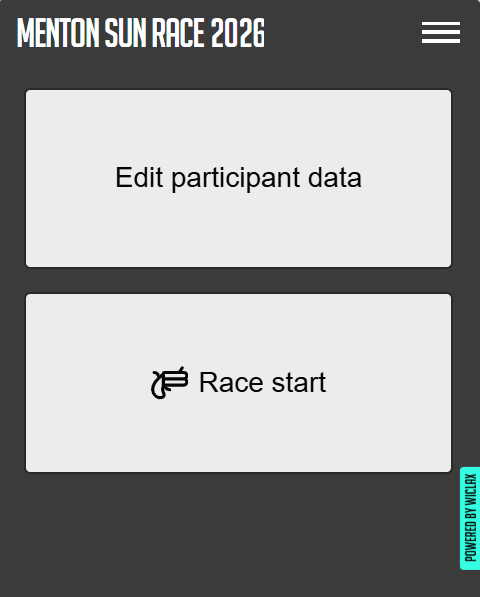
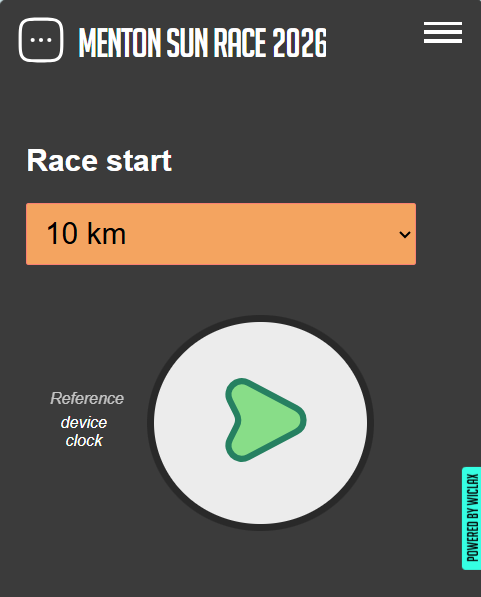
- entering of penalties, to be given for referees for example
- entering of the final lap distance after measurement, in the case of a 24h like race
With more to come in the future.
G-Live
Searching participants
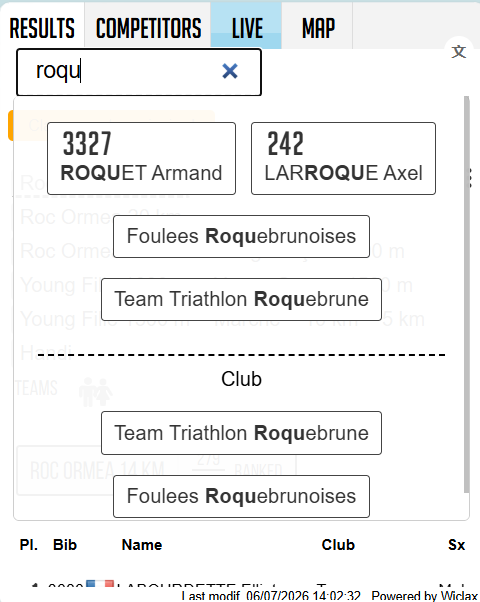
Teams/clubs are now presented in the instant preview for a search result, and it allows visitors to get a nice summary of all their people's performances.
Live screen
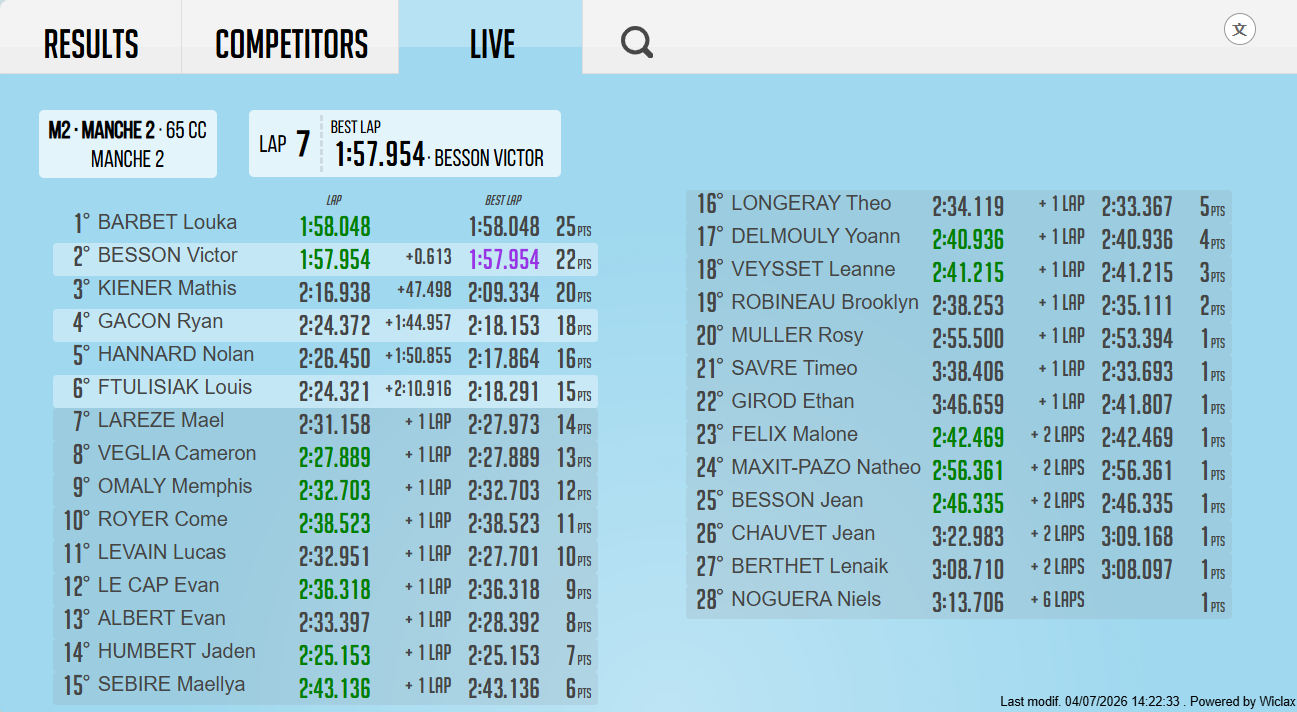
Evolution of the generic Live tab: some kinds of races are not so convenient to follow or comment while looking at the list of passings. So we're introducing a new view where these lists are removed and the dynamic ranking is occupying the race instead.
Think about this for a lap race with a limited amount of riders, like a motocross for example.
Statistics
In Wiclax the number of starters is calculated based on the declaration of non-starters. A good practice being to set their status by filtering the participant list on the condition "seen nowhere", or alternatively to ask for the pile of non distributed bibs ans set DNSs as a list of numbers.
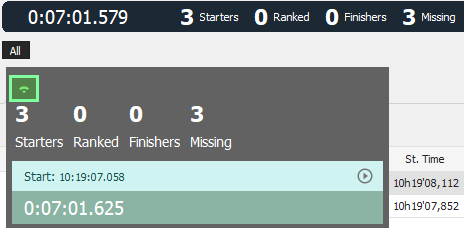
For mass races you'll be more comfortable with this new option: it doesn't replace the proper DNS status on participants but it allows to immediately get some realistic counters based on detection data (either from the start line or from an intermediate). The option is currently available here, by clicking on the number of starters:
Podiums
2 improvements here:
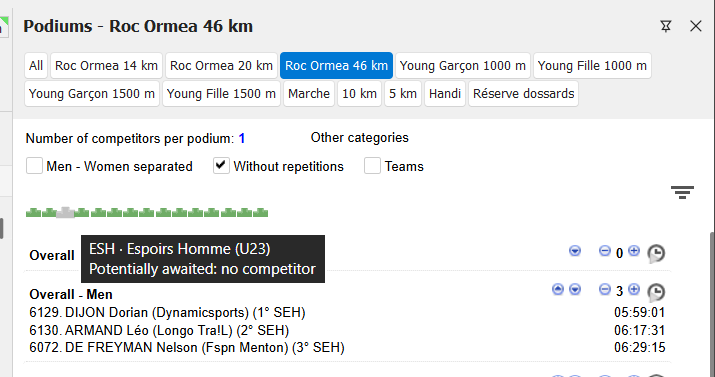
- we've added a visual summary drawing of the situation, so it's now easier to check when all categories get filled with finishers and forward the information that the ceremony can get started
- the switching between races is made faster in one click in replacement of the drop down menu
API - Exporters
New end point added here, which allows to get in a single request a full status of the race participants. It's not in a random order though, it's the current race ranking, with non ranked athletes appended - as non starters or simply as awaiting their race finish.
Visible from the API form as usual for reference:
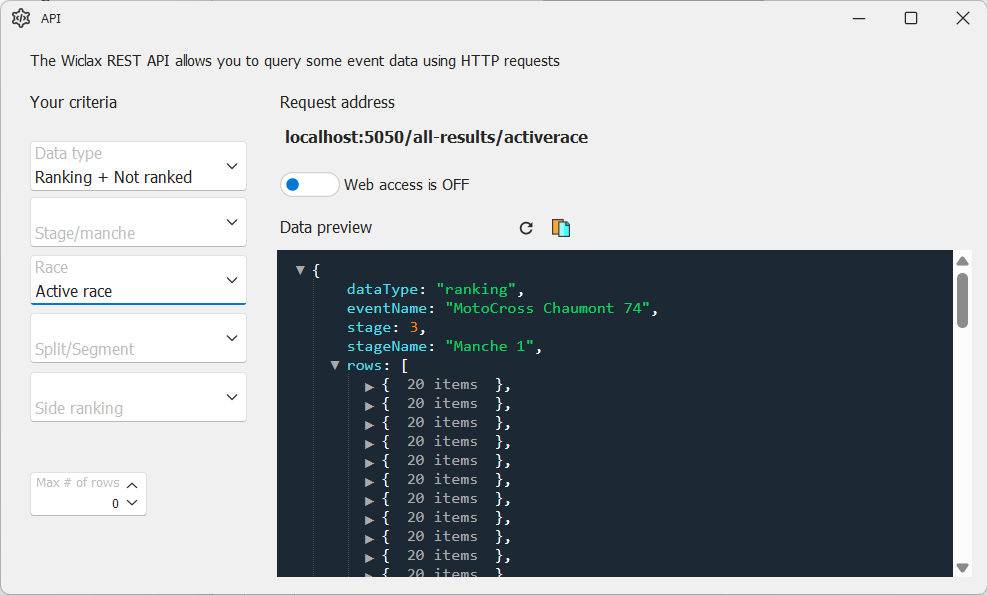
And the exporters are now showing the same fancier data preview when they're outputting some JSON. Easier to check and to share with third parties.
Ergonomy
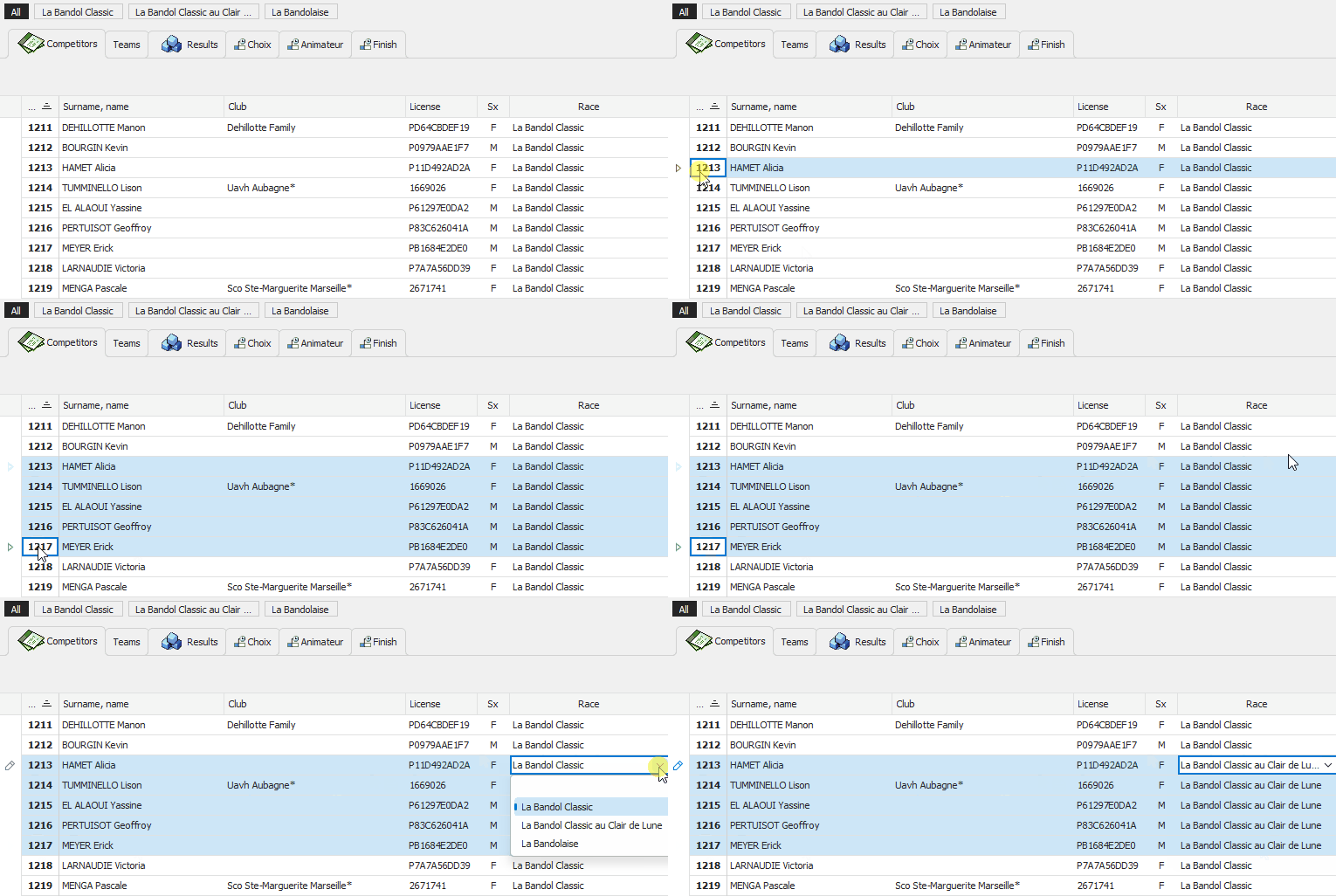
New shortcut for the multi-row editing feature, now it's working even smoother: there is a multi selection and you edit a cell, consequently all other rows will get the same value.
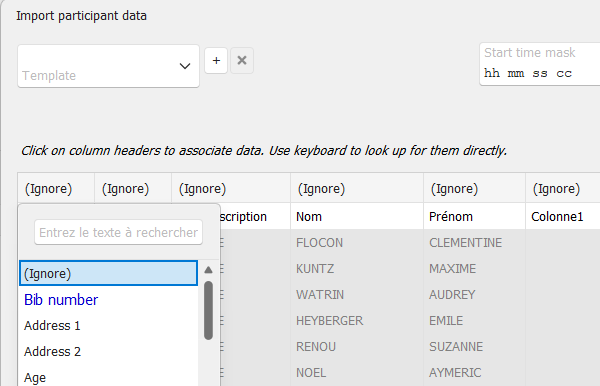
On the data import wizard, the most likely options are highlighted when you match file columns with the Wiclax data, based on values, formats, etc... Simply faster.
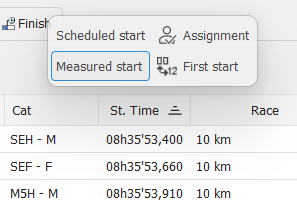
A nice helper to quickly access actions about individual starts, just popping up on hovering the mouse over the column header. You can faster switch visibility for columns for example, whether you want to have scheduled times and measured times as 2 distinct columns or combined in a single one.
Lap races
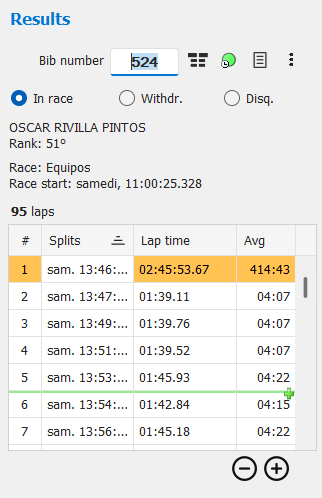
The individual result form now provides a more interesting way to delete or insert some passing rows, hovering the mouse on the list:
Live screens
Design
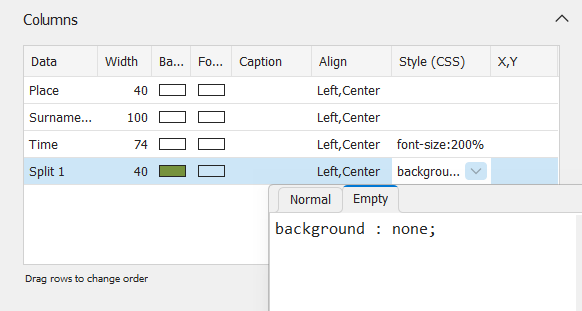
New possibility to provide some styling for a widget cell, depending on whether it's empty or not. So you can set for example a background color, but ask it's overwritten for a blank cell, so it's transparent as long as there's no data.
Avatars
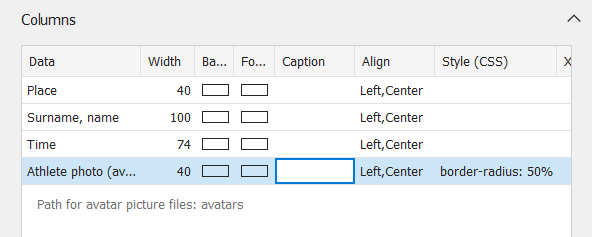
A widget column can be set to display a picture file, selecting 'Athlete's photo' as its data. Great for outstanding displays when you can get individual photos from the organization.
In the settings you can indicate in which relative folder files are located, and what's their extension. File names expected to correspond to bib numbers.
Example of application from Artiming.
Development
If you have some web development skills and you'd like to extend the logic of your live screens, we've added the possibility to embed some scripting of your own. Up to your ideas then.
Cycling
New report introduced to get the Teams presentation order.
On screen you'll find it alongside the Vehicles order, where you'll be able to set a schedule:
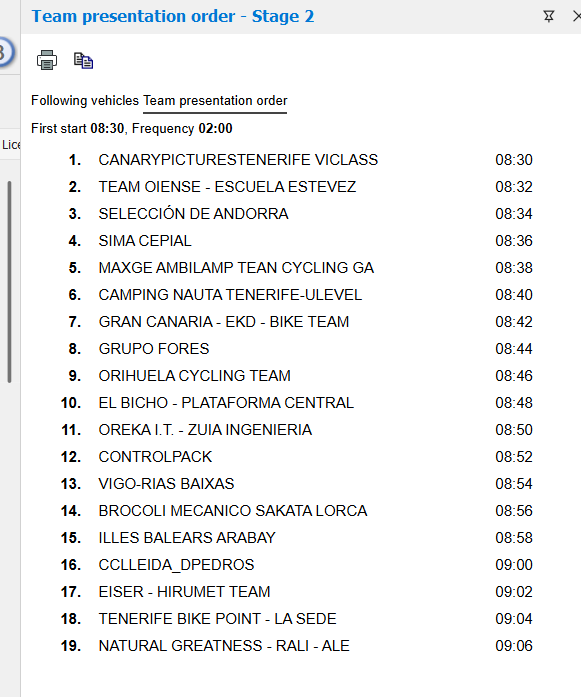
And the report is of course available for an inclusion in a stage summary document.
Categories
There's now a direct access to provide a custom label for "level groups", which are a multi-purpose division possibility when it's not about age groups. Or when 2 independent division sets are required.
Team rankings
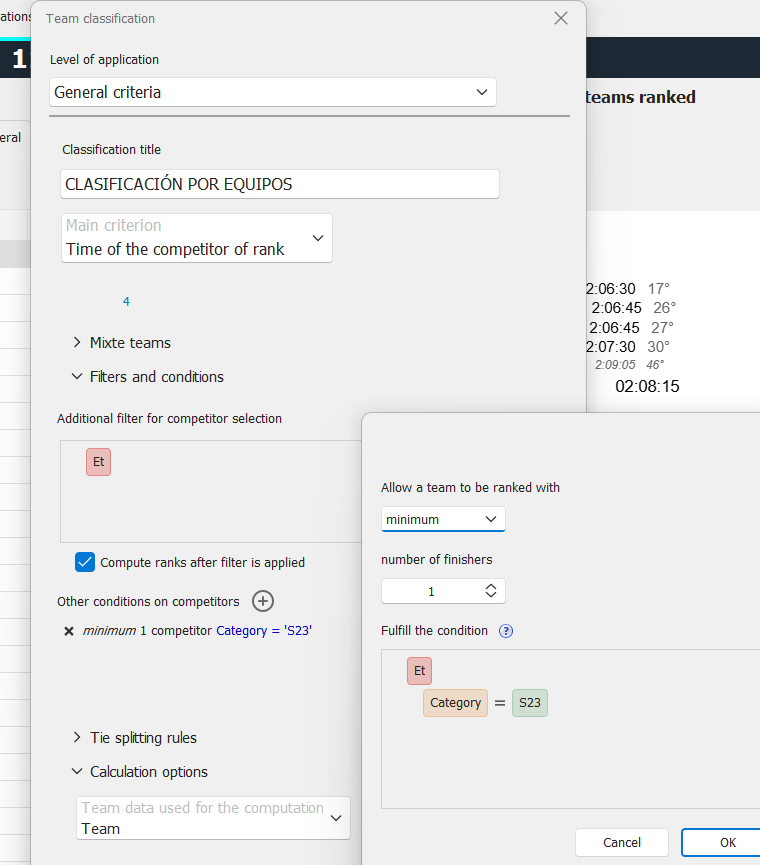
The additional conditions to select rankable teams are now fully customizable - previously was a fixed set of possibilities on gender/race/category.
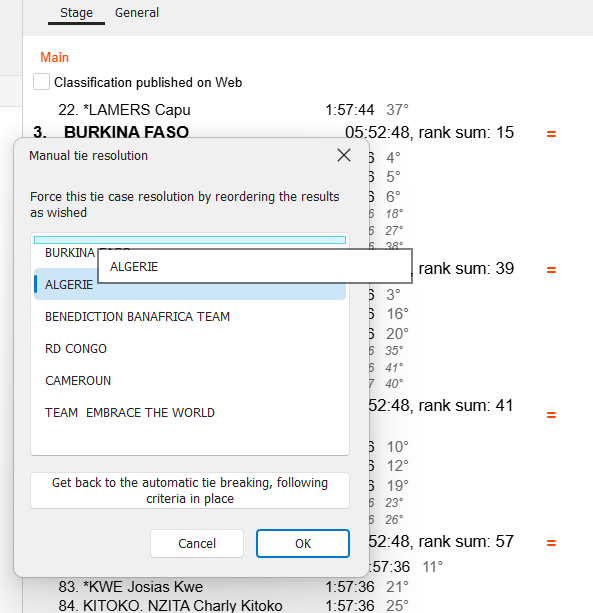
Similar to what's existing already for the secondary classifications, there is now a way to force a tie resolution manually. Meant for 'extreme' cases when the built in criteria can't cope with the race rules. So in the end you always have a workaround.
Printout
Lap races
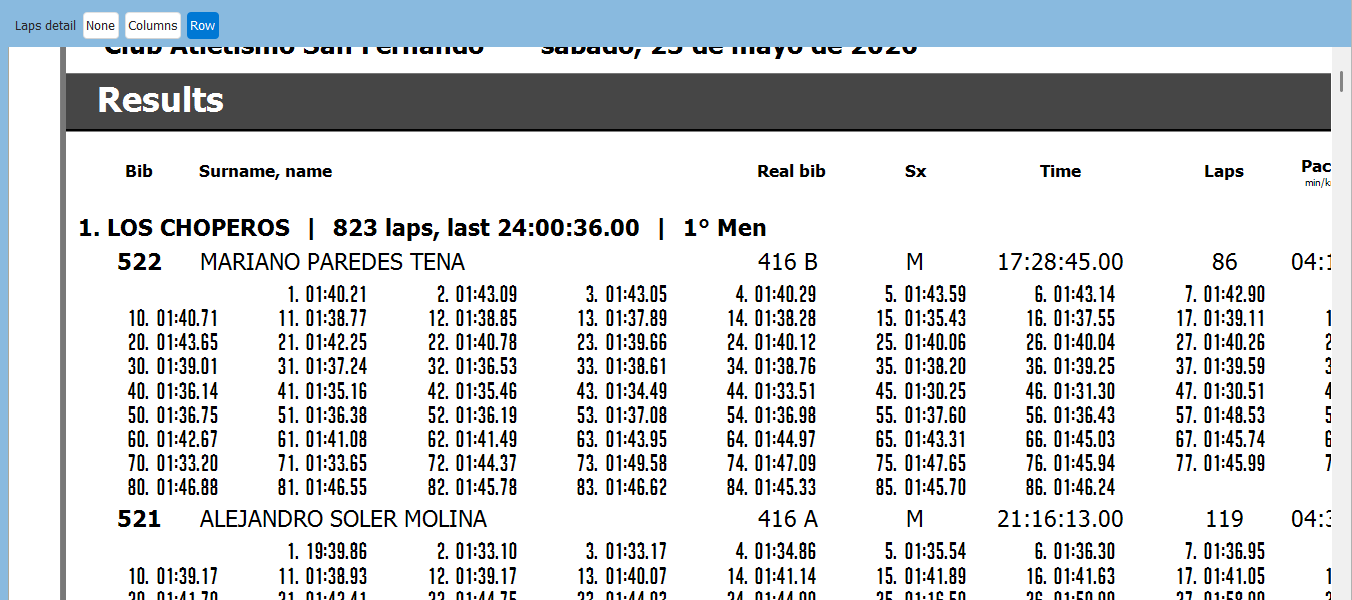
New option to present the detail of all lap times as a sub row, for cases when it's more suitable than the layout by columns.
Bundle reports
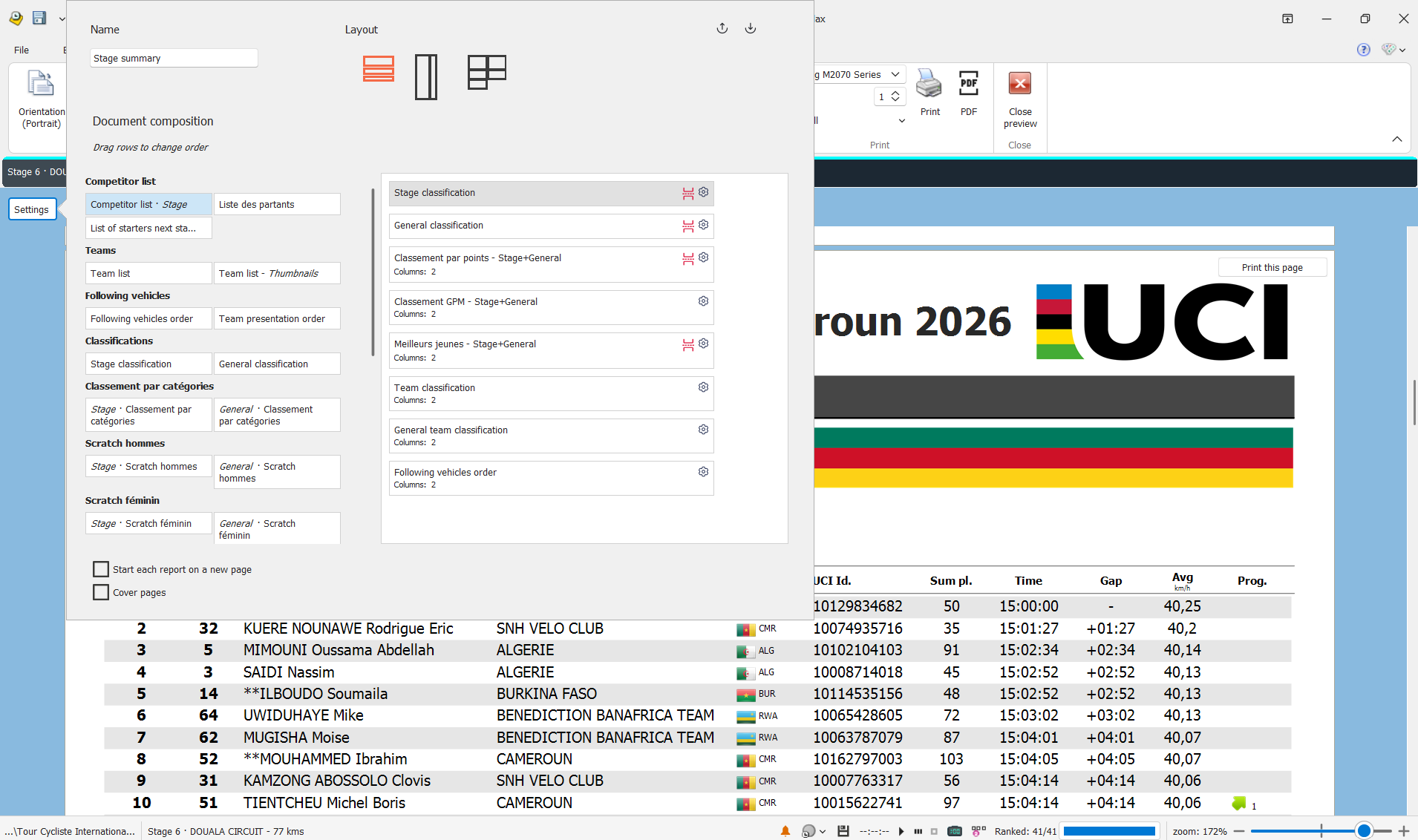
The user interface for the design of a bundle report has been completely refactored. Hoping it clearer and more powerful.
In addition you can freely create any number of such reports. It's the traditional stage summary used in cycling but can be anything else, like a simple combination of the main ranking + the ranking by category.
Acquisitions
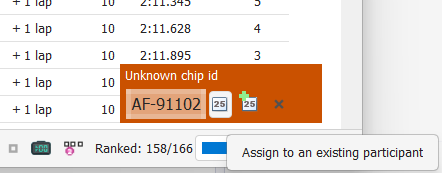
When the event is set with the option to prevent the creation of unknown participants, on receiving some unknown chip IDs, there will be now a new pop up offering information and action.
So you can still decide that the detection is a valid one, and assign the transponder and the passing to either a new participant or to an existing one.
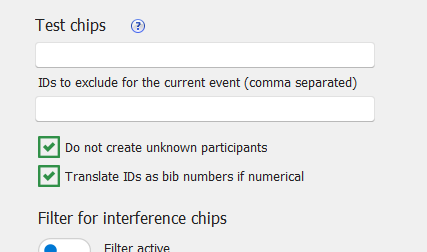
New option to allow for numeric chip IDs to be directly converted as a bib number - chip ID 465 (after trimming an eventual prefix) is bib 465. This is now made as an explicit option, so you can decide to disable this behavior if it's creating troubles.
Scenario better taken into account is when you work with no correspondence table but you just add a few entries there to deal with some exceptions (errors made at bib or chip delivery on check-in).
Option is accessible here aside the bib-chip correspondence table:
Start grids
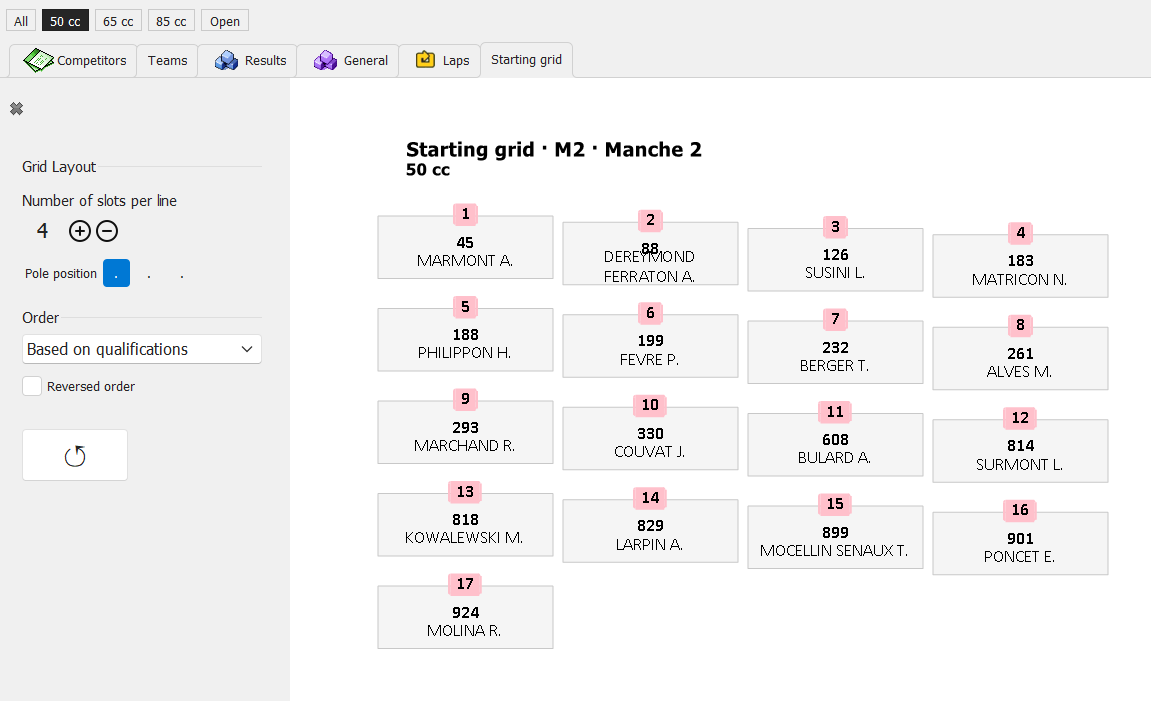
Going further with start grids, mostly for motorsports:
- now they're accessible from the main working space
- useful options for automated/manual feeding and for layout
- printability
SMS
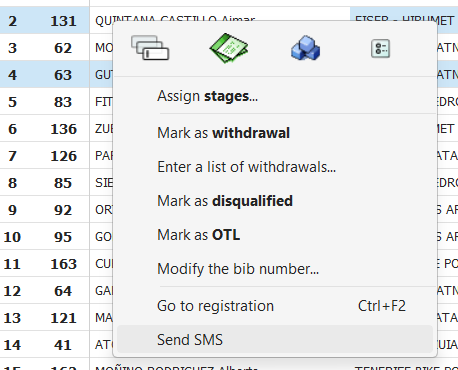
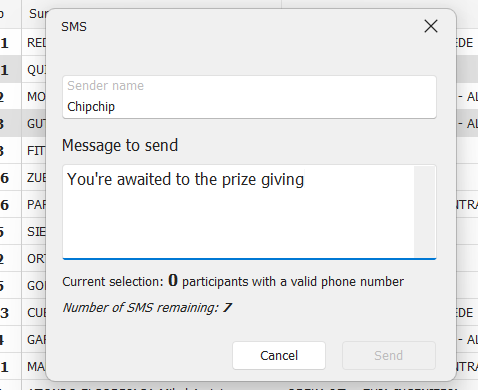
If you have a stock of SMS on your Wiclax account, you can now use them for general communication purposes, selecting some participants in the grid and text them freely.
Time trials
New option for the start times assignment wizard: you can specify a delay between each group. Intended for the scenario when the start order is requested based on the current grid, and this grid has a grouping. For example by categories.
New event wizard
Among minor improvements, we've added a new entry point for Hyrox events, which will preset the file with the split points and segments you need to time.
Race starts
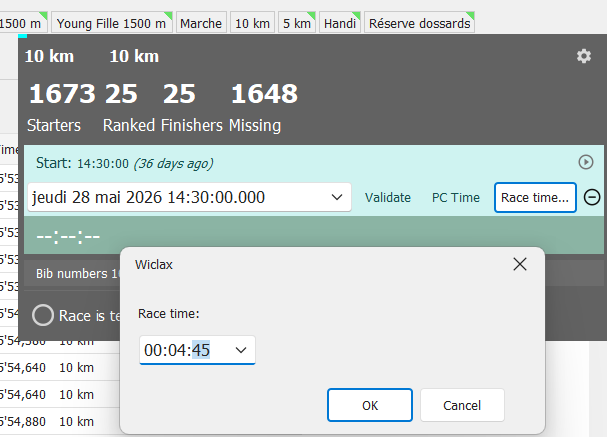
New small though useful feature, here you can (re)initialize a race start time based on the ongoing race time itself.
Ideal when you're having to synchronize things with a race referee for example.
Scoreboards
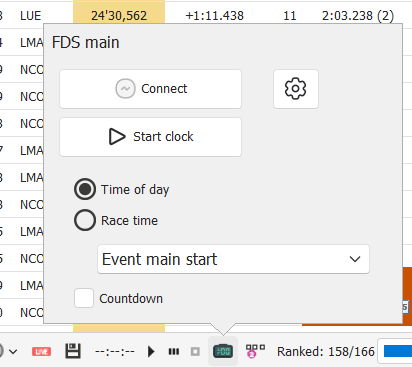
Some work has been done to enhance support for led scoreboards.
The mechanics beneath display scenarios offers more possibilities with some triggers and conditions. Anyway the module remains closely dependent from each manufacturer specifics so here we've focused on devices from FDS.
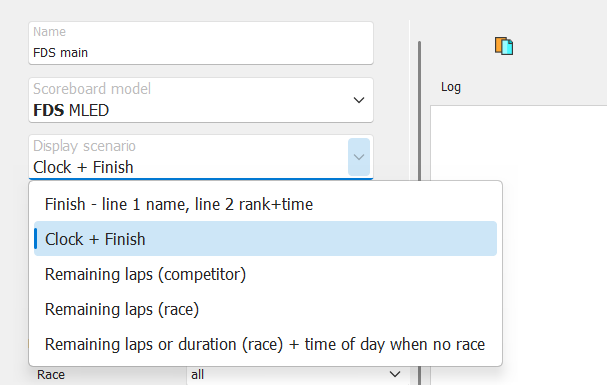
The UI also brings a new quicker access to the active scoreboard:
More to come in the future.
Phone App for manual timing
Some of you have started to use the Android App for manual split timing, and it seems it's doing the job quite well.
So just a remind here for others that it's available, now also can be found directly from the Play Store. More about it here.